
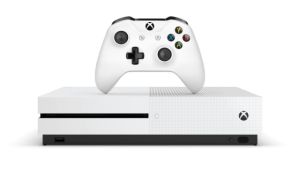
2025 How to Upgrade your Xbox One X and Xbox One S to SSD Drive. WITHOUT Scripts and Software!
SUGGESTED SSD DRIVES:
Crucial MX500:
Samsung 860 EVO:
Verbatim NGFF M.2 2280 SSD:
External Hard Drive Formating.
You can format any external Hard Drive up to 8TB for the Xbox One S.
How to Use An External Hard Drive On Xbox One and Series X or S - Move Xbox Games to External Drive.
Upgrade XBOX ONE Hard Drive / SSD in 10 MINUTES! 2024 Tutorial - Fix E101, E102, E200, E203, E305
=================== Downloads:
Latest XBOX One OSU1 https://support.xbox.com/en-US/help/h...
-bootanim.dat file (XBOX One Original and S): https://drive.google.com/file/d/1LQHN... ===================
How To Play Xbox Games From External Storage! [Transfer/ Install / Run].
This one shows how how to Format External Drive to use on other Xbox machines and run straight from the hard drive.
Difference between This device will be used on multiple Consoles Xbox &
This device will stay attached to this Console.
1 This device will stay attached to this Console.
Games update automatically
2 This device will be used on multiple Consoles Xbox.
Games must be updated manually.
Do I have to format a SSD on PC before installing it inside the xbox console?
You have to format the SSD as NTFS on a PC before installing into the console. The OSU1 update on an NTFS formatted USB stick will reformat and install the Xbox OS. You’ll have to redownload all games.
What I did when I upgraded mine was copied all games to another HDD. Installed the new SSD, ran the update, then copied the games back from the HDD to the newly installed SSD.
Basically, if you don’t want to redownload all the games, you’ll need another HDD to copy to before installing the SSD. You can’t just pull the old HDD from the console and use it as an external drive or copy games from it.